This is an optimised and bug fixed version of nojer at yahoo dot com's rotatedellipse function. I've changed it so that the arguments are compatible with imageellipse. See notes on imagearc for original version.
<?php
function rotatedellipse($im, $cx, $cy, $width, $height, $rotateangle, $colour, $filled=false) {
// modified here from nojer's version
// Rotates from the three o-clock position clockwise with increasing angle.
// Arguments are compatible with imageellipse.
$width=$width/2;
$height=$height/2;
// This affects how coarse the ellipse is drawn.
$step=3;
$cosangle=cos(deg2rad($rotateangle));
$sinangle=sin(deg2rad($rotateangle));
// $px and $py are initialised to values corresponding to $angle=0.
$px=$width * $cosangle;
$py=$width * $sinangle;
for ($angle=$step; $angle<=(180+$step); $angle+=$step) {
$ox = $width * cos(deg2rad($angle));
$oy = $height * sin(deg2rad($angle));
$x = ($ox * $cosangle) - ($oy * $sinangle);
$y = ($ox * $sinangle) + ($oy * $cosangle);
if ($filled) {
triangle($im, $cx, $cy, $cx+$px, $cy+$py, $cx+$x, $cy+$y, $colour);
triangle($im, $cx, $cy, $cx-$px, $cy-$py, $cx-$x, $cy-$y, $colour);
} else {
imageline($im, $cx+$px, $cy+$py, $cx+$x, $cy+$y, $colour);
imageline($im, $cx-$px, $cy-$py, $cx-$x, $cy-$y, $colour);
}
$px=$x;
$py=$y;
}
}
function triangle($im, $x1,$y1, $x2,$y2, $x3,$y3, $colour) {
$coords = array($x1,$y1, $x2,$y2, $x3,$y3);
imagefilledpolygon($im, $coords, 3, $colour);
}
?>imageellipse
(PHP 4 >= 4.0.6, PHP 5, PHP 7, PHP 8)
imageellipse — Draw an ellipse
Description
imageellipse(
GdImage
int
int
int
int
int
): bool
GdImage
$image,int
$center_x,int
$center_y,int
$width,int
$height,int
$color): bool
Draws an ellipse centered at the specified coordinates.
Parameters
-
image A GdImage object, returned by one of the image creation functions, such as imagecreatetruecolor().
center_x-
x-coordinate of the center.
center_y-
y-coordinate of the center.
width-
The ellipse width.
height-
The ellipse height.
color-
The color of the ellipse. A color identifier created with imagecolorallocate().
Changelog
| Version | Description |
|---|---|
| 8.0.0 |
image expects a GdImage
instance now; previously, a valid gd resource was expected.
|
Examples
Example #1 imageellipse() example
<?php

// Create a blank image.
$image = imagecreatetruecolor(400, 300);

// Select the background color.
$bg = imagecolorallocate($image, 0, 0, 0);

// Fill the background with the color selected above.
imagefill($image, 0, 0, $bg);

// Choose a color for the ellipse.
$col_ellipse = imagecolorallocate($image, 255, 255, 255);

// Draw the ellipse.
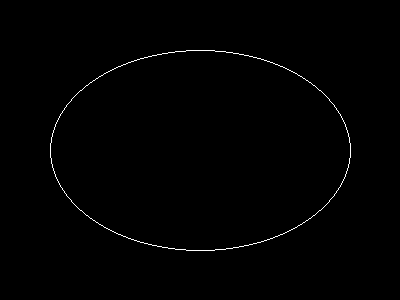
imageellipse($image, 200, 150, 300, 200, $col_ellipse);

// Output the image.
header("Content-type: image/png");
imagepng($image);

?>
The above example will output something similar to:
Notes
Note:
imageellipse() ignores imagesetthickness().
See Also
- imagefilledellipse() - Draw a filled ellipse
- imagearc() - Draws an arc
+add a note
User Contributed Notes 3 notes
simon_nuttall at hotmail dot com 
17 years ago
julian 
19 years ago
if you want to display an ellipse in the upper left corner of an image, you can easily calculate the corresponding cx and cy values. this example will draw an ellipse having the same width and height as the image.

<?php

$ellipse_width = 100;
$ellipse_height = 200;

$ellipse_cx = ($ellipse_width / 2);
$ellipse_cy = ($ellipse_height / 2);

$img_x = $ellipse_width;
$img_y = $ellipse_height;

$img = imagecreate($img_x, $img_y);
$bg = imagecolorallocate($img, 255,255,255);

$ellipse_color = imagecolorallocate($img, 0, 0, 0);

imageellipse($img, $ellipse_cx, $ellipse_cy, $ellipse_width, $ellipse_height, $ellipse_color);

header("Content-type: image/png");
imagepng($img);
imagedestroy($img);

?>
agentyoungsoo at hanmail dot net 
21 years ago
When you wana use "ImageEllipse" function
in under GD 2.0.2 version, you can use "ImageArc" like bellow

----------------------------------------------------
$file_name = "test.png";

$screen_x = 300;
$screen_y = 200;

$x1 = $screen_x / 2;
$y1 = $screen_y / 2;

$radius = 30;

$image = ImageCreate($screen_x, $screen_y);
$black = ImageColorAllocate($image, 0,0,0);

ImageArc($image, $x1, $y1, $radius , $radius , 0, 360, $black);

ImagePng($image, $file_name);
ImageDestroy($image);
----------------------------------------------------